


How to Create a High-Converting Landing Page with Wix
A well-designed landing page can make or break your online marketing campaigns. Whether you’re promoting a product, collecting leads, or offering a free resource, your landing page needs to grab attention, deliver value, and drive conversions. Wix is a powerful tool for building professional landing pages quickly, even if you have no prior design experience.
In this guide, we’ll walk you through the step-by-step process of creating a high-converting landing page using Wix. You’ll learn how to structure your page, optimize it for conversions, and use Wix’s features to bring your vision to life.
Step 1: Define Your Goal
Before you start designing, clarify the purpose of your landing page. A focused goal ensures your page remains clean and avoids unnecessary distractions.
Common Landing Page Goals:
Generate leads (e.g., collect email addresses for a newsletter).
Sell a product or service.
Promote a specific event or webinar.
Offer a free resource, like an eBook or guide.
Having a clear goal will guide your design and content decisions.
Step 2: Choose the Right Wix Template
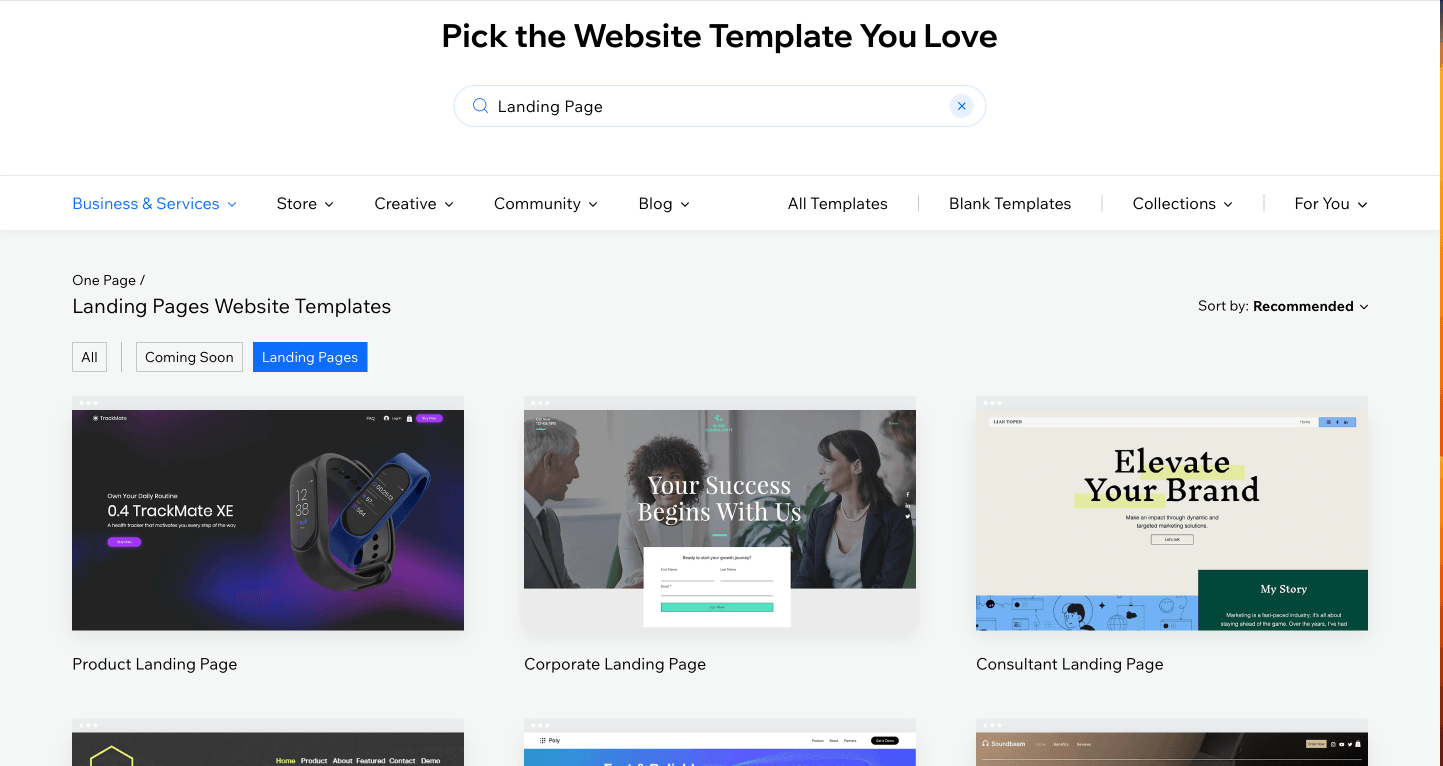
Wix offers hundreds of templates, many specifically designed for landing pages. These templates are optimized for conversions and save you time on design.
How to Choose a Template:
Go to the Wix Template Gallery.
Filter templates by category or search for "landing page."
Pick a clean, minimalist template that aligns with your goal.
Ensure the template is mobile-friendly, as most visitors will view your page on a smartphone.
Step 3: Customize Your Layout
1. Attention-Grabbing Headline
Your headline is the first thing visitors see. It should be clear, concise, and convey your unique value proposition.
Example:
"Get Fit in 30 Days: Your Personalized Workout Plan Starts Here."
"Unlock Exclusive Discounts on Premium Hosting Solutions."
"Your Success Begins With Us."
2. Subheadline for Additional Context
Use a subheadline to elaborate on your offer. This section should be persuasive but brief.
Example:
"Sign up today and get a free trial of our workout app."
"Join thousands of satisfied customers who trust our hosting services."
"Grow your vision"
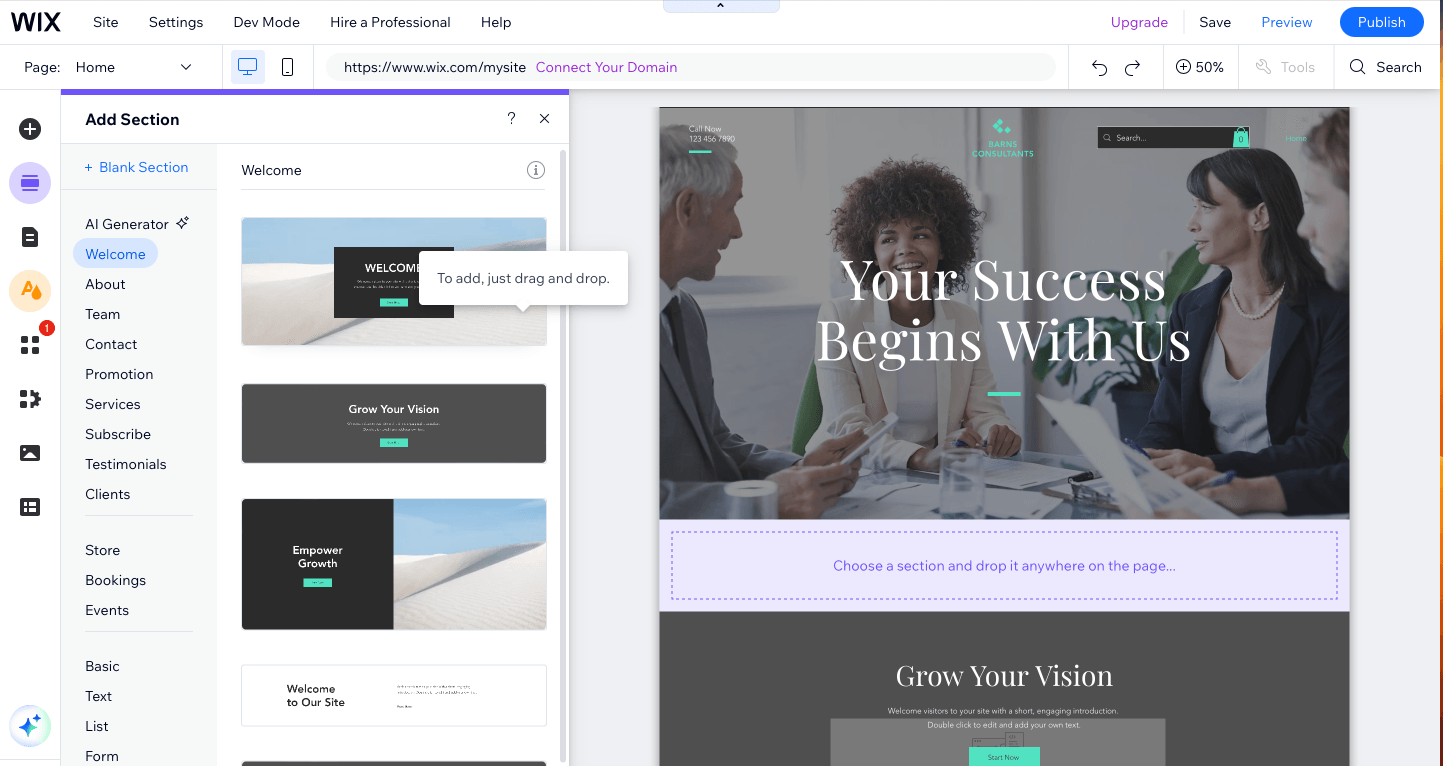
3. Eye-Catching Visuals
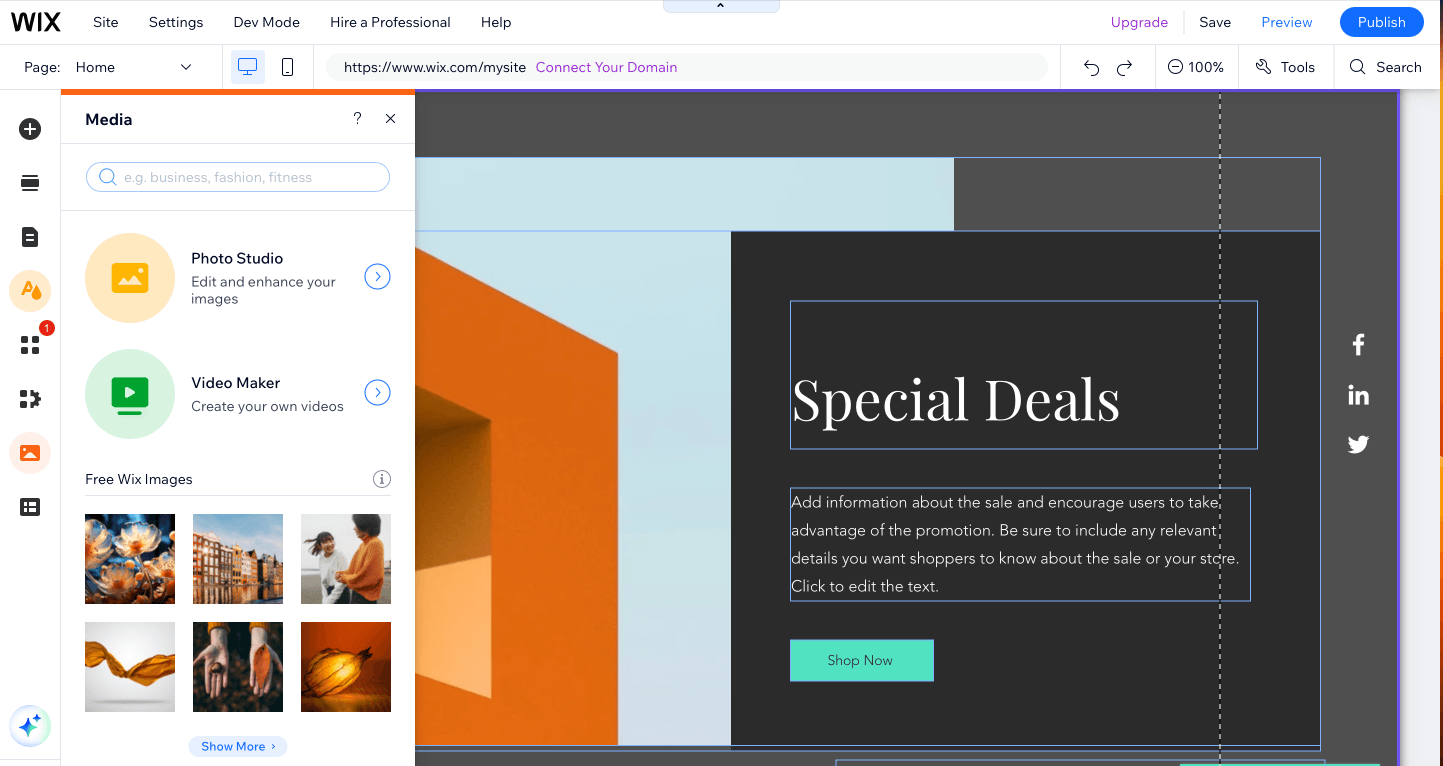
High-quality images or videos can significantly increase engagement. Wix allows you to:
Upload your own visuals.
Use royalty-free images from the Wix media library.
Embed videos that explain or showcase your offer.
4. Call-to-Action (CTA) Button
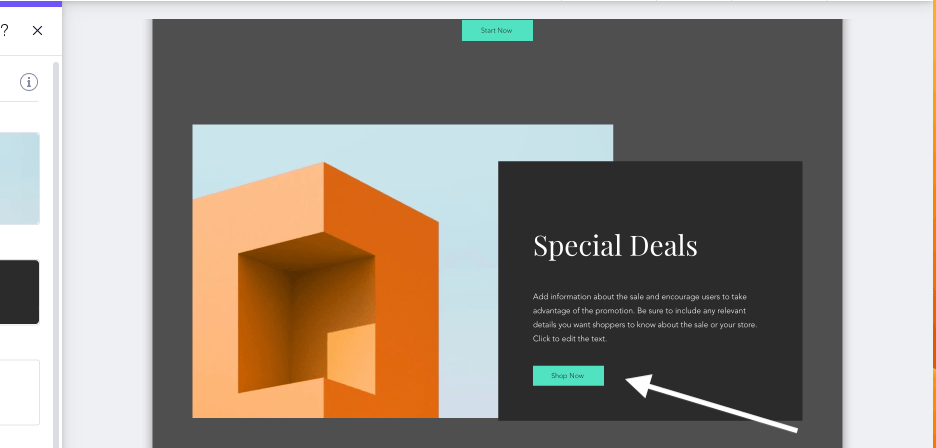
Your CTA is the most critical element of the page. Use action-oriented language and ensure your button stands out.
Examples:
“Download Now”
“Get Started”
“Claim Your Free Trial”
"Shop Now"
"the button color and size to make it impossible to miss.
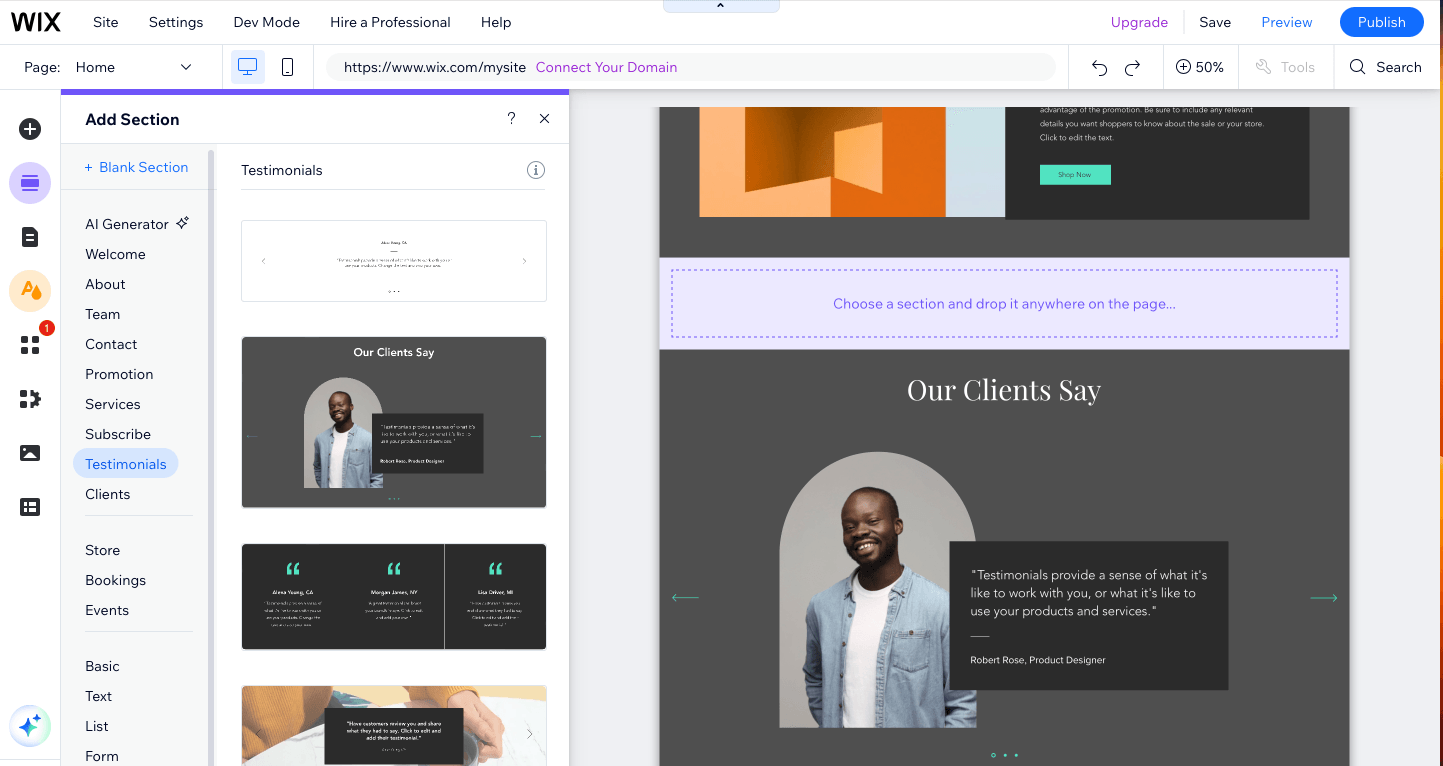
5. Social Proof
Add testimonials, reviews, or logos of companies you’ve worked with. Social proof builds trust and encourages visitors to take action.
Wix Features to Use:
Testimonials widgets.
Sliders for displaying multiple reviews.
Trust badges for credibility.
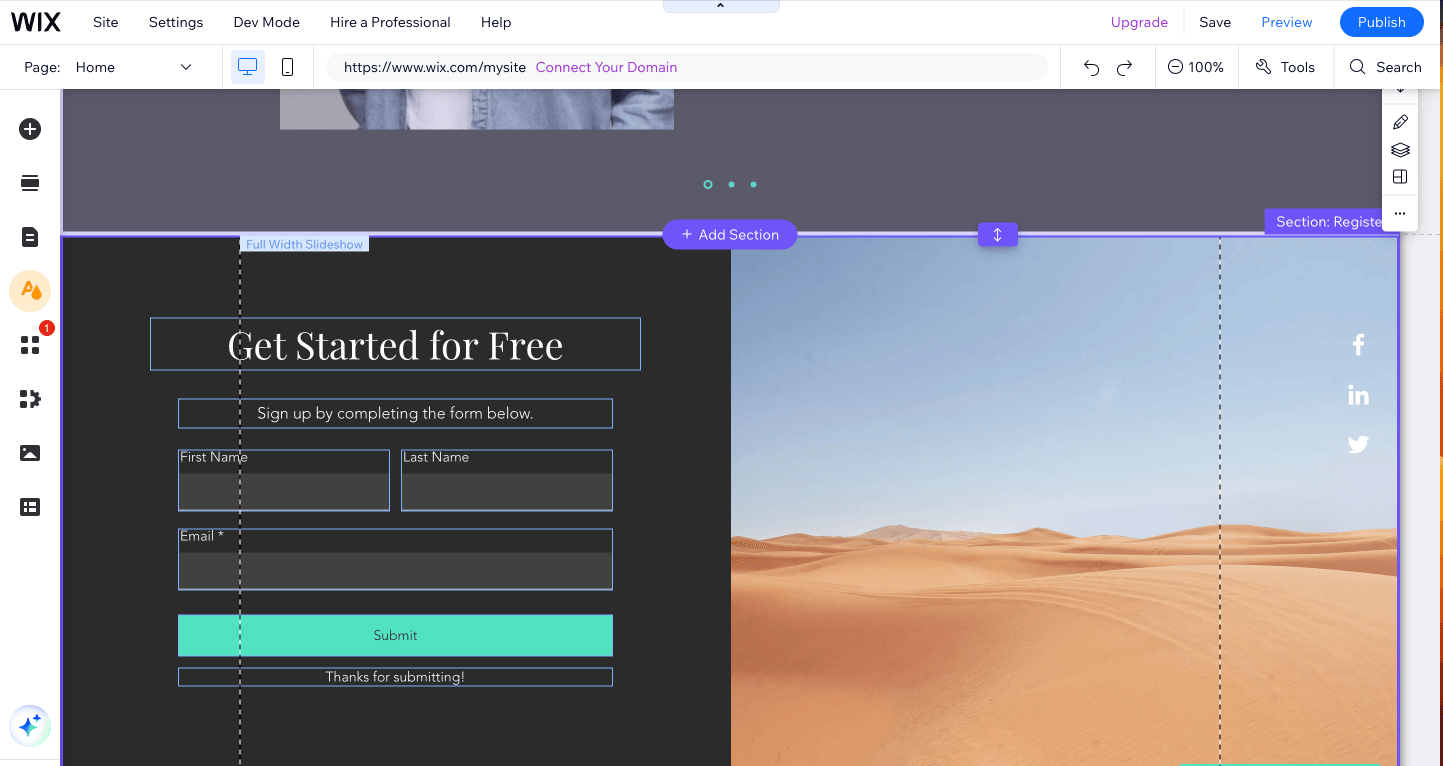
6. Lead Capture Form
If your goal is to generate leads, include a simple form asking for the essentials, like name and email. Wix’s form builder lets you:
Add custom fields.
Integrate forms with tools like Mailchimp or Wix CRM.
Set up automated thank-you emails after submission.
Step 4: Optimize for Mobile
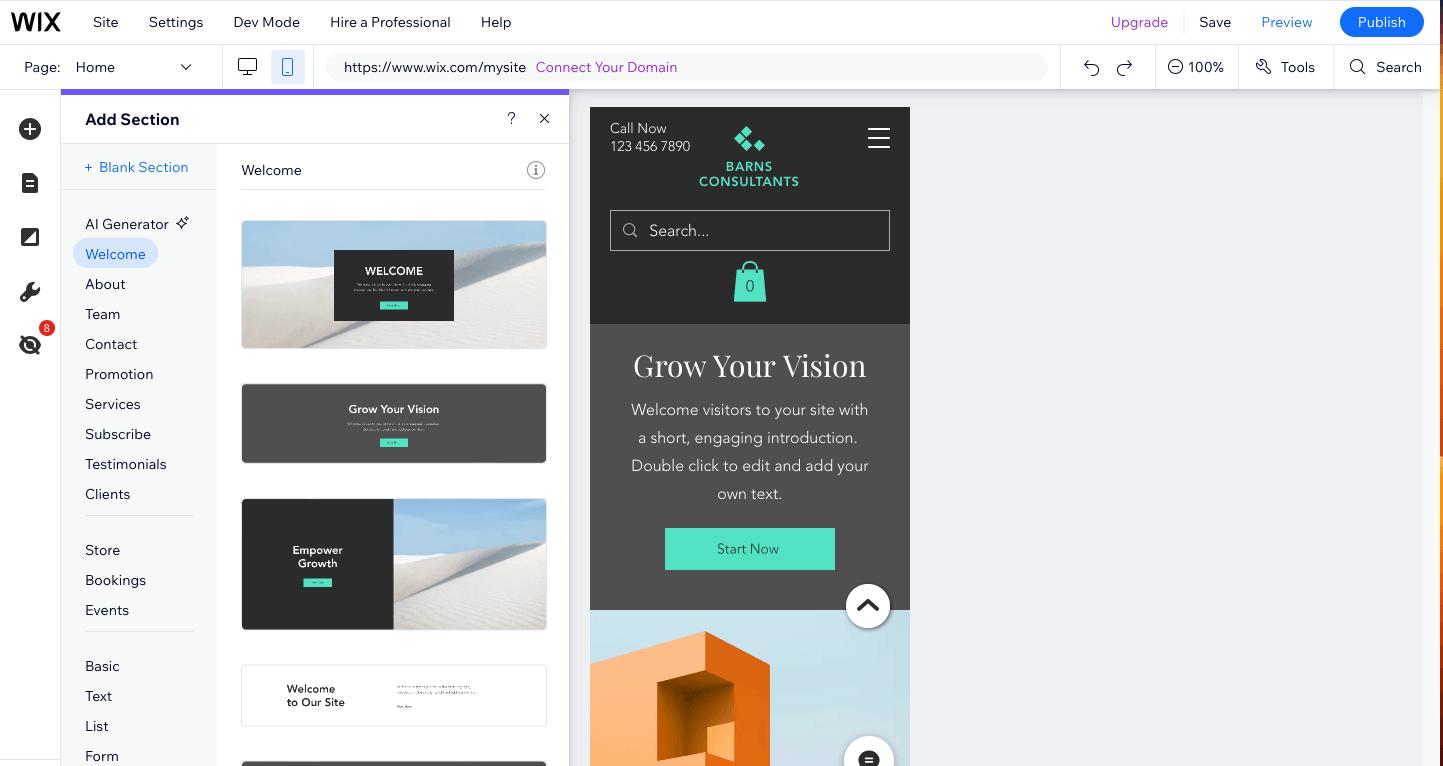
Mobile optimization is non-negotiable for landing pages. Wix makes it easy to create a mobile-friendly version of your page.
Tips for Mobile Optimization:
Use large, easy-to-read fonts.
Ensure buttons are thumb-friendly and easy to click.
Reduce image sizes to improve loading speed.
In the Wix editor, toggle the mobile preview mode and make adjustments as needed.
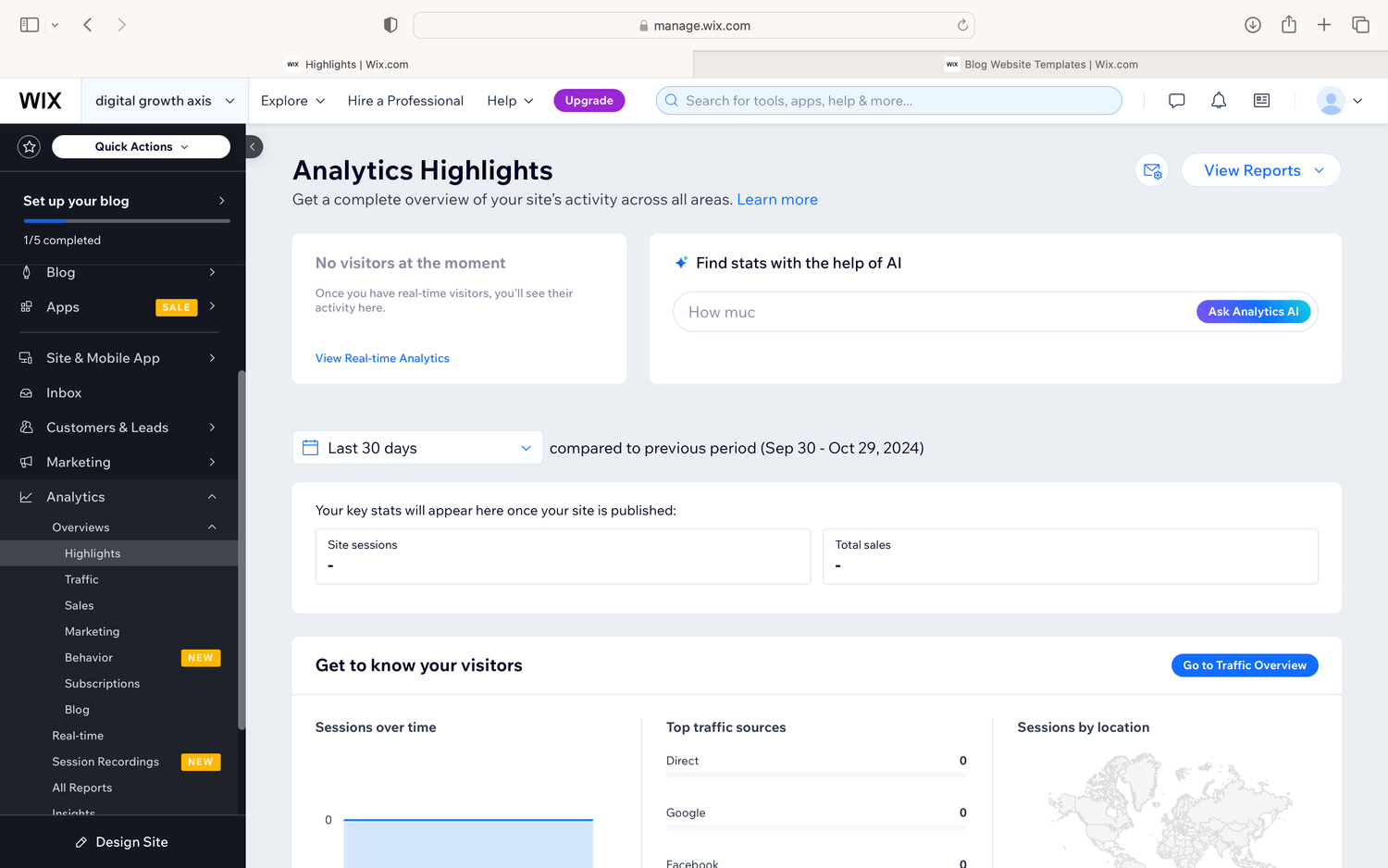
Step 5: Use SEO and Analytics Tools
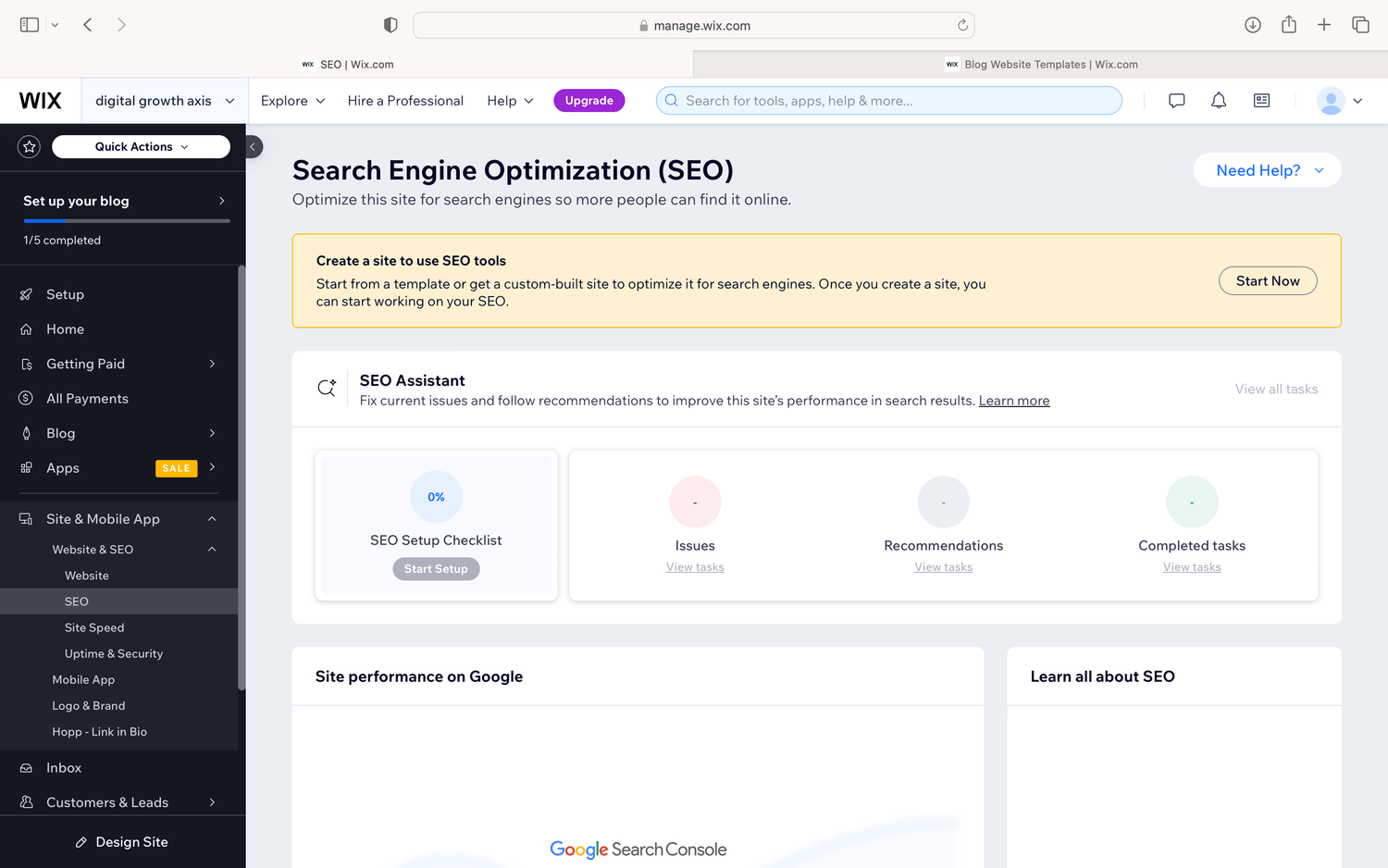
To maximize your landing page’s visibility and performance, take advantage of Wix’s built-in SEO and analytics tools.
SEO Optimization:
Add a keyword-rich meta title and description.
Use alt text for images to improve accessibility and SEO.
Customize the URL to match your page goal (e.g., www.yoursite.com/free-guide).
Analytics:
Wix integrates with Google Analytics and Facebook Pixel to track visitor behavior and conversions. Set up these tools to:
Monitor traffic sources.
Test different versions of your page (A/B testing).
Optimize for higher conversion rates.
Step 6: Publish and Promote
Once you’re satisfied with your landing page, click Publish. Share your page through various channels to drive traffic.
Promotion Ideas:
Run targeted ads on Facebook or Google.
Share the link on your social media profiles.
Include the link in your email marketing campaigns.
Embed the landing page link in blog posts or guest articles.
Bonus Tips for Higher Conversions
Simplify Navigation: Remove unnecessary navigation menus to keep visitors focused on your CTA.
Use Urgency: Add countdown timers or phrases like “Limited Time Offer” to encourage immediate action.
A/B Testing: Create two versions of your landing page and test different headlines, visuals, or CTAs to see what performs better.
Speed Matters: Optimize images and videos to ensure your page loads quickly. Slow-loading pages can hurt your conversion rates.
Creating a high-converting landing page doesn’t have to be complicated, especially with Wix’s intuitive tools and templates. By following this guide, you’ll be able to design a professional, effective landing page that drives results.
Ready to build your landing page? Head over to Wix.com and start today!
Affiliate Note: This post contains affiliate links. If you sign up for Wix through these links, we may earn a commission at no additional cost to you. Thank you for supporting Digital Growth Axis!
Let us know what you think in the comments!
Quick links
Newsletter
Subscribe to the newsletter and stay in the loop! By joining, you acknowledge that you'll receive our newsletter and can opt-out anytime hassle-free.
Created with ©systeme.io